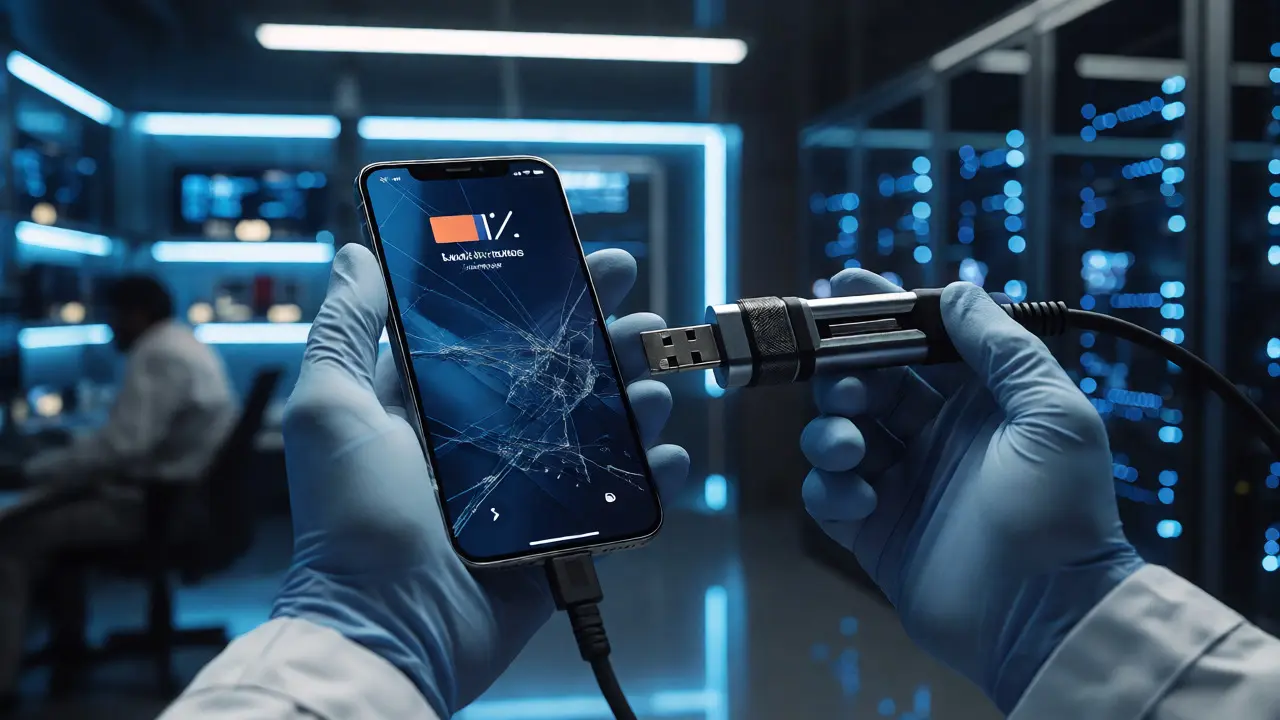
You just seized a suspect’s smartphone. The screen is locked, the battery is at 4%, and you have two hours before your shift ends. Which tool do you grab? Do you plug it in and hope for the best, or do you go straight for the chip-off technique? Choosing the right mobile extraction method isn’t just about picking a tool; it’s about understanding what data actually lives where on the device.
If you pick the wrong level of extraction, you might miss the smoking gun evidence entirely. Or worse, you might spend six hours acquiring data that yields nothing but cached thumbnails. Let’s break down the three main tiers-logical, file system, and physical-and figure out which one fits your case.
The Hierarchy of Data Access
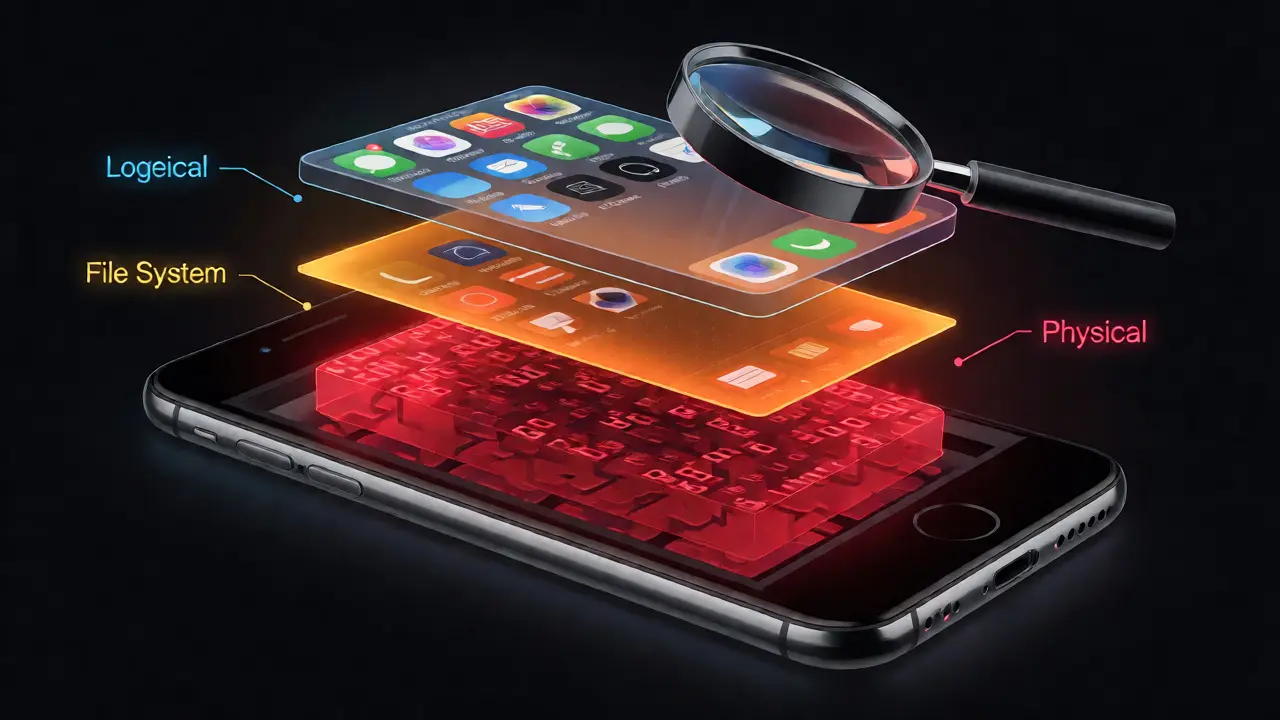
Think of a smartphone like a house. You can look through the windows (logical), walk around inside and open drawers (file system), or tear down the walls to see what’s hidden behind them (physical). Each step requires more effort, time, and technical skill, but it also reveals more.
Logical extraction is the baseline. It pulls data accessible to the user via standard applications and APIs. If the phone allows backup over USB or Wi-Fi, you get this data. It’s fast, non-invasive, and usually doesn’t require rooting or jailbreaking. However, it’s limited. You only get what the operating system explicitly exposes to the backup protocol. Deleted messages? Gone. App databases that aren’t synced to the cloud? Often missed.
File system extraction takes it a step further. Here, you’re bypassing the user interface and accessing the underlying file structure directly. This often requires elevated privileges, such as root access on Android or a jailbreak on iOS. With this method, you can pull app-specific databases, temporary files, and some deleted artifacts that logical backups skip. It’s the sweet spot for many cases because it balances depth with feasibility.
Then there’s Physical extraction. This is the raw bit-for-bit copy of the storage media. It captures everything, including unallocated space where deleted files linger until overwritten. But here’s the catch: modern encryption makes true physical extraction nearly impossible without the key. On newer iPhones and Android devices with hardware-backed encryption, a raw image is useless unless you can decrypt it. That means you need the passcode, biometric unlock, or a vulnerability that leaks the decryption key.
When to Use Logical Extraction
Don’t underestimate logical extraction. For many investigations, it’s all you need. If the suspect didn’t delete their WhatsApp chats or if the critical evidence is in recent photos, logical gets the job done quickly.
- Speed matters: You need results in minutes, not hours.
- Device integrity: You want to avoid altering metadata or triggering anti-forensic measures.
- Cloud sync: The user backs up regularly to iCloud or Google Drive, so the local copy mirrors the cloud.
- Legal constraints: Your warrant specifically limits acquisition to user-accessible data.
A common pitfall here is assuming "no data found" means no evidence exists. It often means you hit the ceiling of what the OS allows. If the user cleared their browser history or deleted SMS threads, logical extraction won’t recover them. That’s when you escalate.
Escalating to File System Extraction
File system extraction is where most forensic analysts spend their time. Tools like Cellebrite UFED, Magnet AXIOM, and Oxygen Forensic Detective excel here. They exploit known vulnerabilities or use developer modes to mount the file system read-only, allowing you to copy entire directories.
This method shines when dealing with apps that store data locally. Think Signal, Telegram, or local note-taking apps. These don’t always back up to the cloud in a way that preserves full context. File system extraction grabs the SQLite databases directly from the app’s sandbox.
| Feature | Logical | File System | Physical |
|---|---|---|---|
| Data Depth | User-visible only | App databases, temp files | Raw bits, unallocated space |
| Deleted Data Recovery | Rarely possible | Sometimes possible | Yes (if decrypted) |
| Time Required | 5-15 minutes | 30-90 minutes | Hours to Days |
| Encryption Impact | Minimal (uses existing session) | Moderate (needs root/jailbreak) | High (needs key/vulnerability) |
| Device Alteration | Low | Medium | High (risk of damage) |
But be careful. Gaining root or jailbreak access changes the device state. It modifies logs, creates new files, and potentially triggers security alerts. Always document exactly what steps you took to achieve this access. If you’re working on an iPhone, check if the device supports "checkm8" exploitation (for A7-A11 chips) or if you need a semi-tethered jailbreak for newer models. For Android, unlocking the bootloader wipes user data on many OEMs, so verify before proceeding.
The Reality of Physical Extraction
True physical extraction is rare in modern mobile forensics. Why? Encryption. Since iOS 8 and Android Lollipop, default full-disk or file-based encryption protects user data. Even if you dump the NAND flash memory, the data looks like random noise without the key.
To make physical extraction useful, you need one of three things:
- The Passcode: If you have the PIN, password, or biometric unlock, you can decrypt the physical image post-acquisition.
- A Vulnerability: Exploits like GrayKey or similar tools can sometimes bypass locks on specific iOS versions, allowing for a higher-level extraction that mimics physical access.
- Chip-Off: Removing the memory chip and reading it directly. This is destructive, expensive, and rarely recovers encrypted data without the key anyway. It’s mostly used for older devices or when other methods fail completely.
So, why bother with physical extraction at all? Because it’s the only way to recover truly deleted artifacts from unallocated space. If a suspect wiped their phone but didn’t overwrite the storage, physical imaging gives you the best shot at carving out fragments of old messages or photos. Just remember: without the decryption key, you’re carving garbage.

Choosing the Right Tool for the Job
Your choice depends on the device model, OS version, and lock status. Here’s a quick decision tree:
- Unlocked Device? Start with logical. If insufficient, move to file system.
- Locked with Passcode? Try brute-force attacks (if allowed by policy) or leverage known exploits. If successful, aim for file system or advanced logical extraction.
- Locked with Biometrics Only? Difficult. May require legal compulsion for the passcode or specialized lab services.
- Older Device (Pre-2016)? Physical extraction might work without complex decryption issues.
- Newer iPhone (iOS 15+)? Focus on file system extraction via trusted computer pairing or specialized forensic suites that support partial filesystem dumps.
Tools evolve rapidly. What worked for iOS 14 might fail on iOS 17. Always check your vendor’s compatibility matrix before starting. Cellebrite and Magnet release updates monthly to address new OS patches. Staying current isn’t optional-it’s essential.
Common Pitfalls and How to Avoid Them
One major mistake is ignoring the cloud. If the device is linked to iCloud or Google Account, much of the data might reside remotely. Logical extraction might show empty folders because the data is streamed from the server. In these cases, consider requesting cloud warrants alongside device acquisition.
Another trap is battery drain. Extraction processes are power-hungry. If the phone dies mid-extraction, you risk corrupting the file system or losing volatile RAM data. Keep the device plugged into a stable power source. Use write-blockers where applicable, though mobile write-blocking is trickier than with hard drives.
Finally, don’t neglect metadata. Timestamps, location tags, and device identifiers are crucial for correlating events. Ensure your extraction tool preserves original timestamps. Some methods alter "last accessed" times, which can confuse timeline analysis. Validate your findings against multiple sources whenever possible.
What is the difference between logical and file system extraction?
Logical extraction retrieves data exposed by the operating system's backup API, typically including contacts, messages, and photos. File system extraction accesses the underlying directory structure directly, allowing recovery of app-specific databases, temporary files, and some deleted artifacts that logical methods miss. File system extraction usually requires elevated privileges like root or jailbreak.
Is physical extraction still relevant for modern smartphones?
Yes, but its utility is limited by encryption. Physical extraction creates a bit-for-bit copy of the storage, capturing unallocated space where deleted data resides. However, without the decryption key (passcode or biometric unlock), the extracted data remains encrypted and unreadable. It is primarily useful when combined with a valid passcode or when exploiting specific hardware vulnerabilities.
Can I recover deleted text messages using logical extraction?
Generally, no. Logical extraction relies on the OS backup protocols, which typically exclude deleted records. To recover deleted SMS or MMS, you usually need file system extraction to access the database files directly or physical extraction to carve data from unallocated space, provided the data hasn't been overwritten.
Does rooting an Android device affect forensic evidence?
Yes. Rooting modifies the system partition, alters boot flags, and may wipe user data depending on the manufacturer's implementation (e.g., Samsung Knox). It also changes file permissions and logs. Always document the rooting process and validate that critical evidence wasn't lost during the privilege escalation.
What happens if the phone is encrypted and I don't have the passcode?
Without the passcode, physical extraction yields encrypted data that cannot be interpreted. You may attempt brute-force attacks if the device lacks rate limiting or uses a simple PIN. Alternatively, you can seek legal assistance to compel the suspect to provide the code or use commercial cracking services that leverage known exploits for specific OS versions.