The Changing Landscape of Digital Evidence
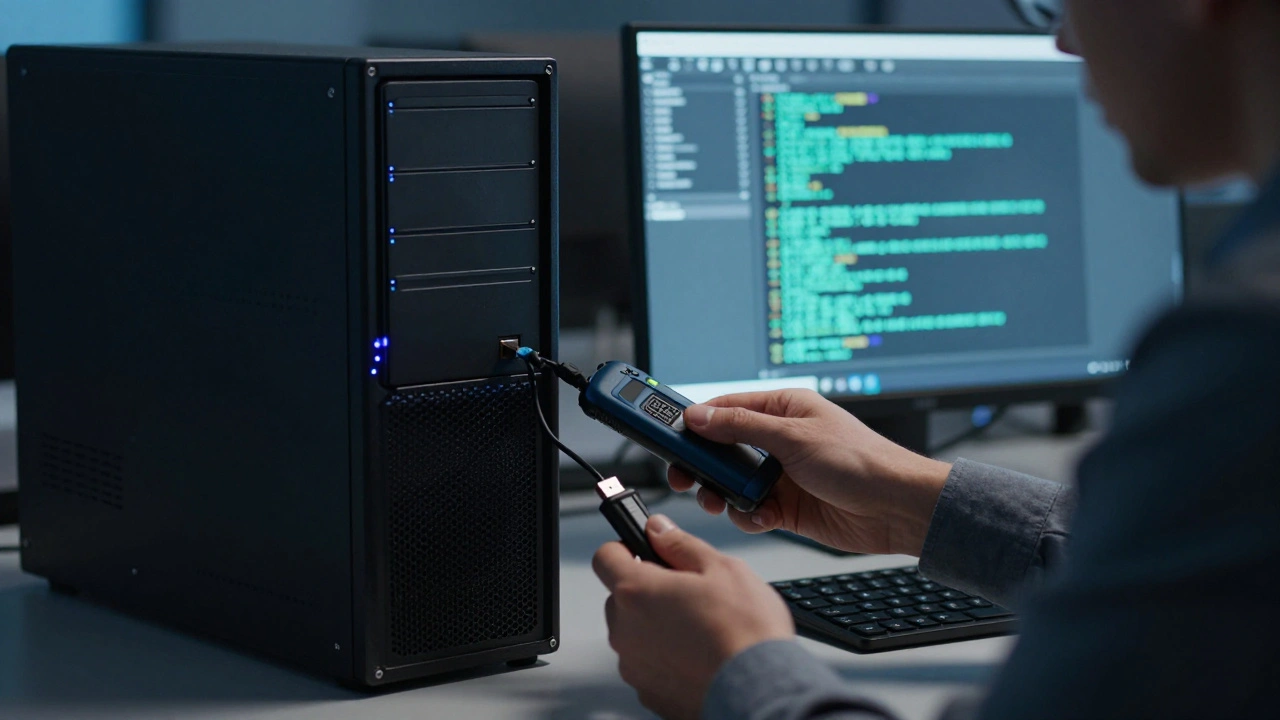
Imagine walking into a room where a computer is humming quietly on a desk. The screen is on, a user is logged in, and the session is active. In the past, a forensic investigator might have simply pulled the plug to secure the machine. Today, that move could lock you out of the very evidence you need. Full-disk encryption has become standard on almost every modern device, turning a powered-down computer into a sealed vault. This is where Live System Analysis is the critical process of examining and extracting data from a computer while it remains powered on and running. Unlike traditional methods that focus on static disk images, this approach targets the fleeting data that exists only in memory while the system is active.
The shift toward live analysis isn't just about convenience; it's a necessity driven by technology. When a user logs in, their credentials unlock encryption keys and load them into the system's RAM. Once the computer shuts down, those keys vanish. Without them, even the most advanced forensic tools cannot read the encrypted files on the hard drive. This reality has forced investigators to adapt, moving from a "power down and image" mindset to a "capture while live" strategy to ensure they can access the data they need to solve a case.
Why Run Live? The Encryption Barrier
The primary driver for live system analysis is the widespread adoption of encryption technologies like BitLocker is a full-disk encryption feature included with Windows operating systems that encrypts the entire volume to protect data at rest. When BitLocker is active, the hard drive is essentially unreadable without the decryption key. That key is held in memory only while the user is logged in. If you shut the machine down, the key is lost, and the drive becomes a brick of unreadable code.
Similarly, applications use their own encryption methods to protect sensitive data. DPAPI is Data Protection Application Programming Interface, a Windows API that allows applications to encrypt and decrypt data using the user's credentials. Web browsers, for example, store passwords and session cookies using DPAPI. These items are encrypted with a key derived from the user's login password. While the user is logged in, the operating system holds the key in memory, allowing the browser to decrypt the data on the fly. If you analyze the drive offline, you see the encrypted blobs. If you analyze the system live, you can extract the decrypted passwords and tokens directly from the active session.
This distinction changes everything for an investigation. A cold image might show you that a user visited a website, but a live analysis might reveal the specific account they were logged into and the messages they sent during that session. The difference is often the difference between a lead and a dead end.
What Data Can You Capture Live?
When you perform a live analysis, you are hunting for volatile evidence. This is data that disappears the moment the power is cut or the system is rebooted. The goal is to capture the state of the system at that exact moment. Here are the critical types of evidence you can secure:
- RAM Artifacts: The system memory contains running processes, open files, and network connections. You can find fragments of deleted files, clipboard history, and even snippets of chat conversations that were never saved to disk.
- Active Network Connections: You can see exactly which IP addresses the computer is talking to right now. This is crucial for identifying command-and-control servers or active data exfiltration.
- Session Tokens: Many modern applications use tokens to keep users logged in. These tokens are stored in memory and allow access without re-entering a password. Capturing them live lets you access the accounts later for analysis.
- Credential Stores: Saved Wi-Fi passwords, email credentials, and browser passwords are often cached in memory for convenience. Live tools can extract these without needing to crack the encryption offline.
- Running Processes: You can identify malicious software that is currently executing. A file on a disk might look innocent, but seeing it run as a process reveals its true behavior.
Tools designed for this task, such as Elcomsoft Quick Triage is a forensic triage tool designed to rapidly extract critical evidence from a running system within minutes, focus on speed. In an incident response scenario, you don't have hours to image a terabyte drive. You need to know if this machine is compromised right now. Live triage allows you to grab the critical evidence in minutes, filter out the noise, and make immediate decisions about the investigation.
The Risks of Touching a Live System
While live analysis is powerful, it comes with significant risks that every investigator must understand. When you run a tool on a suspect machine, you are altering the system state. Every file you copy, every process you launch, and every log entry you read leaves a footprint. In a legal context, this can be challenged by defense attorneys who argue that the evidence was tampered with.
Furthermore, you are operating on what is often called "hostile" territory. The computer might have antivirus software or endpoint protection tools installed. These security measures are designed to stop unknown executables. If you plug in your forensic USB drive and try to run a collection tool, the antivirus might quarantine it immediately. This can disrupt the process before you secure the evidence, or worse, it can alert the suspect that they are being investigated.
There is also the risk of data loss. If the system is unstable or if the hard drive is failing, running processes can stress the hardware. A sudden crash during live acquisition could result in the loss of the very volatile data you are trying to save. Investigators must weigh the value of the live data against the risk of destroying the system's integrity.
Cold-Boot Forensics vs. Live Analysis
To understand the trade-offs, it helps to compare live analysis with the traditional cold-boot approach. Cold-boot forensics involves booting the computer from a separate, clean medium, like a forensic USB drive, and analyzing the hard drive without the original operating system running. This method provides a clean slate. There is no antivirus to block you, no background processes to interfere, and no risk of modifying the suspect's files.
However, cold-boot approaches have a major weakness in the modern era: encryption. If you boot from a USB drive, the original user's session is gone. The encryption keys are no longer in memory. You can image the drive, but you cannot read the encrypted files without the password. This makes cold-boot forensics ideal for creating a verifiable, forensically sound disk image, but less effective for accessing protected data.
| Feature | Live System Analysis | Cold-Boot Forensics |
|---|---|---|
| System State | Powered On / Running | Powered Off / External Boot |
| Encryption Access | High (Keys in Memory) | Low (Keys Lost) |
| Evidence Integrity | Modified by Tool | Read-Only / Preserved |
| Speed | Fast (Minutes) | Slower (Hours for Imaging) |
| Antivirus Risk | High (May Block Tool) | Low (No OS Running) |
The Hybrid Approach: Best Practices
Given the pros and cons of each method, the most robust strategy is often a hybrid approach. This workflow combines the speed and access of live analysis with the integrity of cold-boot imaging. It ensures you capture the volatile data you need while still securing a clean copy of the disk for long-term analysis.
Here is how the process typically works in the field:
- Initial Assessment: Determine if the machine is on and if a user is logged in. Check for signs of encryption.
- Live Triage: Deploy a live triage tool immediately. Capture the RAM, active network connections, browser passwords, and encryption keys. This step should take only a few minutes.
- Secure the Keys: Ensure that any extracted keys or credentials are saved to a secure location before proceeding.
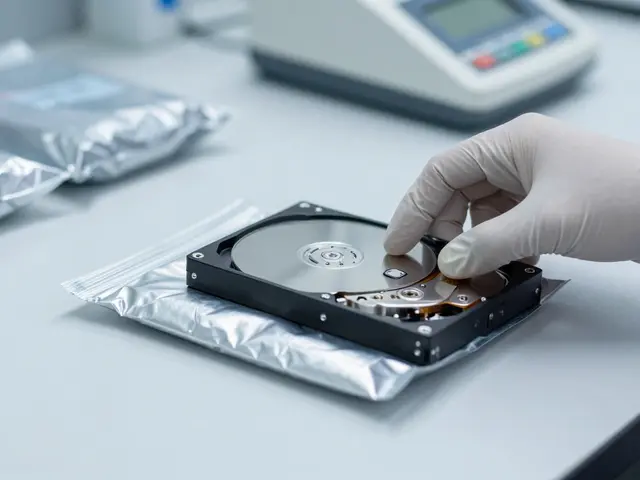
- Shutdown and Image: Once the volatile data is secured, shut down the machine. Boot from a forensic recovery tool to create a write-blocked disk image.
- Laboratory Analysis: Take the disk image to a controlled lab environment for deep analysis, using the keys captured in the live phase to decrypt the data.
This two-phase approach prioritizes the capture of time-sensitive evidence first, then shifts to a forensically sound environment for comprehensive examination. It mitigates the risk of losing encryption keys while ensuring you have a pristine disk image for court proceedings.
System Analysis Methodology
Beyond the technical tools, live system analysis follows a structured methodology similar to broader systems analysis. It requires answering three fundamental questions: What does the system do? How does it do it? Why is it done in this way? In a forensic context, this translates to understanding the user's workflow, the system's configuration, and the anomalies that indicate malicious activity.
Analysts must define the boundaries of the system. What is included in the investigation? Is it just the hard drive, or does it include the network traffic and peripheral devices? Without clear boundaries, the analysis can become unfocused. The data collection phase involves gathering information using multiple techniques to capture both intended behavior and actual behavior. This might include reviewing logs, tracing data flows, and documenting system behavior under various conditions.
System modeling is also crucial. Analysts translate raw information into structured representations. This helps uncover hidden assumptions and clarify system behavior. For example, a process flow diagram might reveal that a specific script runs every night at 3 AM, which could indicate data exfiltration. The analytical phase involves interpreting these models to identify security risks or misalignments between user expectations and system functionality.
Finally, validation and communication ensure the findings are accurate. Findings are reviewed with key stakeholders to confirm relevance. This collaborative process ensures the analysis reflects both technical truth and operational reality. Since systems evolve through software updates and process changes, this analysis is rarely a one-time effort. It is iterative and adaptive, requiring analysts to revisit assumptions as new information comes to light.
FAQ
Is live system analysis legally admissible in court?
Yes, but it requires careful documentation. Because running tools alters the system state, investigators must document exactly what tools were used, when they were run, and what changes were made. A clear chain of custody and justification for the live approach are essential for admissibility.
What happens if the antivirus blocks the forensic tool?
If the antivirus blocks the tool, you may lose access to critical evidence. Investigators often use tools that are signed with trusted certificates or have the ability to bypass security software temporarily. In some cases, disabling the antivirus is part of the procedure, but this must be documented meticulously.
Can you recover deleted files during live analysis?
You can recover fragments of deleted files that are still in RAM, but you cannot recover files that were deleted from the hard drive and overwritten. Live analysis is better for capturing active data and encryption keys than for recovering deleted disk files.
Why is encryption a problem for cold-boot forensics?
Cold-boot forensics loses the encryption keys that are stored in the computer's memory. Without these keys, the data on the hard drive remains encrypted and unreadable, even if you have a perfect image of the disk.
How long does a live triage process take?
A live triage process is designed for speed and can often be completed in minutes. This allows investigators to make rapid decisions in the field without waiting for hours for a full disk image to complete.
Next Steps for Investigators
If you are preparing for an investigation involving live systems, start by training on the specific tools you plan to use. Familiarize yourself with how your triage software interacts with different operating systems. Practice the hybrid workflow in a controlled environment so you know exactly how long each step takes.
Ensure you have the legal authority to run software on a suspect machine. In some jurisdictions, modifying a system without a warrant can be problematic. Always consult with legal counsel before deploying live tools in a criminal investigation.
Finally, keep your tools updated. Security software evolves rapidly, and forensic tools must keep pace to avoid detection or blocking. A stale tool might not work on a modern operating system, leaving you without the evidence you need.