You pull a phone from a suspect’s pocket. It’s locked. You plug it into your workstation. And then you hit a wall. Not because the hardware is broken, but because the operating system is fighting you. For years, investigators treated mobile devices as just smaller computers. That assumption is dead. Today, mobile forensics is a battlefield of platform-specific architecture, encryption keys, and proprietary file systems. If you try to apply the same logic to an iPhone and a Samsung Galaxy, you will miss critical evidence or waste hours on failed extractions.
The core difference isn’t just about brands; it’s about control. Apple controls every layer of its stack, from silicon to software. Google opens up Android to manufacturers like Samsung and Pixel, creating a fragmented landscape. This article breaks down exactly how these differences change your workflow. We aren’t talking about theory. We’re talking about what happens when you connect a device in 2026 and need to get data out before the battery dies or a remote wipe command hits.
The Architecture Battle: Closed vs. Open Ecosystems
Let’s start with the fundamental design philosophy. iOS is a closed garden. Apple designs the hardware (A-series or M-series chips) and the OS together. This integration allows for tight security features like the Secure Enclave, which handles biometric data and encryption keys independently from the main processor. When you look at an iPhone, you are looking at a device where the user has very little control over the underlying file system structure. You cannot simply mount the drive and browse files like you would on a Windows PC.
Android, conversely, is built on the Linux kernel. While Google manages the core AOSP (Android Open Source Project), manufacturers add their own skins-One UI for Samsung, ColorOS for Oppo, MIUI for Xiaomi. This fragmentation means that while the core architecture is open, the implementation varies wildly. An investigator must know not just that it’s Android, but which manufacturer and version they are dealing with. The file system is typically ext4 or F2FS, and unlike iOS, root access is theoretically possible, though increasingly difficult due to verified boot chains.
| Feature | iOS (Apple) | Android (Google/OEMs) |
|---|---|---|
| File System | APFS (Apple File System) | ext4 / F2FS |
| Encryption | Hardware-backed (Secure Enclave) | File-Based Encryption (FBE) |
| Access Method | DFU Mode / Recovery Mode | ADB / Fastboot / OEM Unlock |
| App Sandboxing | Strict per-app isolation | Variable by OEM, generally strict |
| Cloud Sync | iCloud (High consistency) | Google Drive / OEM Clouds (Fragmented) |
Extraction Methods: Logical vs. Physical
When you extract data, you have two main choices: logical and physical. On iOS, true physical acquisition has become nearly impossible on modern devices without specific exploits. Since iOS 10, Apple encrypted the entire disk. To get a full image, you often rely on logical extraction, which pulls user-generated content like messages, photos, and call logs via standard protocols like AFC (Apple File Conduit). This is fast and reliable but misses deleted data and system artifacts.
On Android, the story is different. If you can unlock the bootloader, you can perform a physical acquisition, which creates a bit-by-bit copy of the flash memory. This is the gold standard for forensics because it captures unallocated space, where deleted files might still reside. However, unlocking the bootloader often wipes the user data on newer devices as a security feature. This creates a dilemma: do you want the data now, or do you want the chance to recover deleted data later? Most investigators choose the former, opting for logical extraction via ADB (Android Debug Bridge) unless they have a known exploit.
A critical nuance here is the "Full File System" (FFS) extraction. On some older Android versions or specific rooted devices, you can pull everything. On iOS, even with jailbreaks, getting a raw NAND dump is rare. Instead, we rely on backup analysis. If the user backed up to iCloud or iTunes, that backup contains a wealth of information, including app databases and settings, that logical extraction might miss.
Decryption Challenges: Keys and Passcodes
Data is useless if it’s encrypted. Both platforms use strong encryption, but the key management differs significantly. On iOS, the encryption key is tied to the user’s passcode and the device’s unique hardware ID. This means if you don’t have the passcode, brute-forcing is slow and limited by rate limits imposed by the Secure Enclave. There is no way to bypass this easily on modern iPhones. Your best bet is often social engineering or finding the passcode written down nearby.
Android uses File-Based Encryption (FBE). Each file is encrypted with a separate key, protected by the user’s credentials. The advantage? If you can extract the memory while the device is unlocked (or recently unlocked), you might capture the keys in RAM. Tools like Magnet AXIOM or Cellebrite UFED can sometimes perform "chip-off" acquisitions or memory dumps to retrieve these keys. But if the device is powered off and locked, Android is just as tough as iOS. The real headache on Android is the variety of lock types: PINs, patterns, passwords, and biometrics. Biometrics alone usually don’t decrypt the disk; they just unlock the session. You still need the alphanumeric credential.
App Data and Sandboxing
Apps are where the story lives. WhatsApp, Signal, Telegram-they hold the conversation history. But how you get that data depends on the OS. On iOS, apps run in strict sandboxes. You cannot read one app’s data from another. To get WhatsApp chats, you need to parse the specific SQLite database within the app’s container. These databases are often encrypted. On iOS, the key is derived from the device’s UID and the app’s identifier. If you have a valid backup, the keys are included. If you don’t, you might be stuck with empty shells.
Android sandboxes are similar but less uniform. Some OEMs allow easier access to app data directories if you have root. Without root, you rely on ADB backups, which have been restricted in recent Android versions for security reasons. Many apps now exclude themselves from ADB backups entirely. This forces investigators to use specialized tools that hook into the running application or use accessibility services to scrape data directly from the screen if direct file access fails.
Consider Signal. On both platforms, it encrypts local storage. On Android, if you can get the master key from the keystore, you can decrypt the message database. On iOS, the process is more opaque, relying heavily on the secure enclave. Always check if the app uses SQLCipher or standard SQLite, as this dictates your parsing strategy.
Cloud Artifacts: The Remote Evidence Trail
Never ignore the cloud. In 2026, most users sync their data. For iOS users, iCloud is a massive source of evidence. Photos, notes, reminders, and even Safari bookmarks live there. Investigators should always request iCloud logs or perform a cloud extraction if legal authority permits. The challenge is authentication. You need the Apple ID password and often a second factor. If the device is seized, you might be able to pull tokens from the device itself to authenticate a web-based extraction.
Android users scatter their data across multiple clouds: Google One, Samsung Cloud, Dropbox, etc. Google Drive syncs documents and photos. Samsung Smart Switch backs up contacts and messages. Each service has its own API and retention policies. You need to identify which services were active. Look for account tokens in the device’s shared preferences or keychain. If you find a token for Google Drive, you can potentially download the synced files without needing the user’s password, provided the token hasn’t expired.

Artifacts and Timeline Analysis
Once you have the data, you need to make sense of it. Both platforms generate rich metadata. On iOS, look at the `com.apple.springboard` plist files. They track app usage times and last opened dates. Combine this with location data from `consolidated.db` to build a timeline of movement. Did the suspect visit the crime scene? Check the GPS pings against the cell tower data.
On Android, logcat files and dropbox entries provide system events. App usage stats are stored in `usagestats.bin`. Parse these to see when apps were launched and for how long. Correlate this with network logs. If a messaging app was active at 2 AM, did it send data packets to a server? Cross-referencing these sources helps validate alibis or confirm communication attempts.
Tools of the Trade
You can’t do this work with free tools alone. Commercial suites dominate the market. Cellebrite UFED remains the industry standard for many law enforcement agencies due to its extensive support for new device models and decryption capabilities. It excels at handling the latest iOS updates quickly. Magnet AXIOM offers powerful artifact analysis and cloud integration, allowing you to combine device data with cloud sources in a single case.
For open-source enthusiasts, Autopsy provides a solid foundation for analyzing extracted images, especially on Android where you might have raw partitions. However, it lacks the automated decryption and parsing depth of commercial tools for complex iOS structures. Use Autopsy for validation, not primary acquisition.
Best Practices for Mobile Examiners
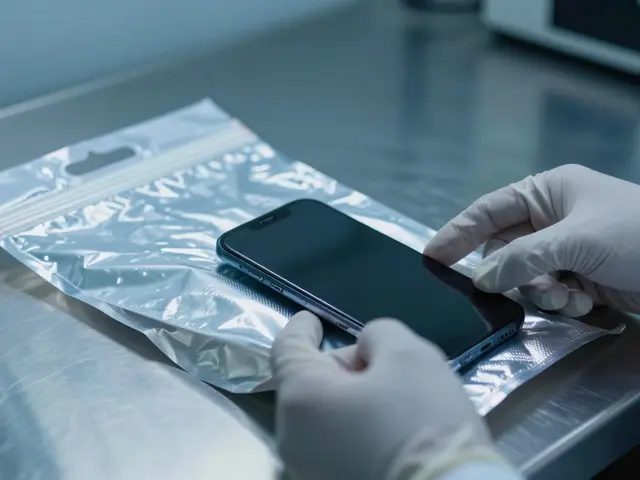
- Isolate Immediately: Put the device in airplane mode or a Faraday bag upon seizure to prevent remote wipes or changes.
- Document State: Photograph the screen, note the battery level, and record any visible notifications before touching anything.
- Try Passwords: Attempt common PINs or ask for consent if legally permissible. Don’t assume it’s locked forever.
- Check Backups: Before diving into complex extractions, check if a recent backup exists on a computer or cloud service.
- Verify Integrity: Always hash your acquired data. Compare hashes before and after processing to ensure nothing changed.
Can I extract data from a locked iPhone?
Yes, but options are limited. If the device is iOS 10 or later, you generally need the passcode for a logical extraction. Without it, you may only get basic device info unless you have a known vulnerability or a valid backup password. Physical extraction is rarely possible on modern locked iPhones without advanced lab equipment.
What is the difference between ADB and Fastboot?
ADB (Android Debug Bridge) is used for communicating with a booted Android device, allowing file transfers and shell commands. Fastboot is a protocol used to modify flash filesystems via USB connection, typically when the device is in bootloader mode. ADB is for live data; Fastboot is for flashing images or unlocking bootloaders.
Does rooting an Android phone help forensics?
It can. Root access allows you to bypass sandbox restrictions and access all app data directly. However, rooting often triggers security flags or wipes data on newer devices. It also complicates the chain of custody if done improperly. Ideally, acquire data before rooting, or use root only for deep recovery tasks.
How does iCloud affect iPhone forensics?
iCloud stores copies of photos, messages, and app data. If the device is wiped or lost, iCloud can still hold evidence. Investigators can perform cloud extractions using authentication tokens found on the device or by requesting data from Apple with a warrant. Always check for cloud sync status during examination.
Are deleted messages recoverable on both platforms?
Sometimes. On Android, physical acquisition can reveal deleted records in unallocated space. On iOS, deleted messages may persist in the SQLite database until overwritten, or in WAL (Write-Ahead Logging) files. However, aggressive garbage collection and encryption make recovery harder on iOS than on older Android devices.