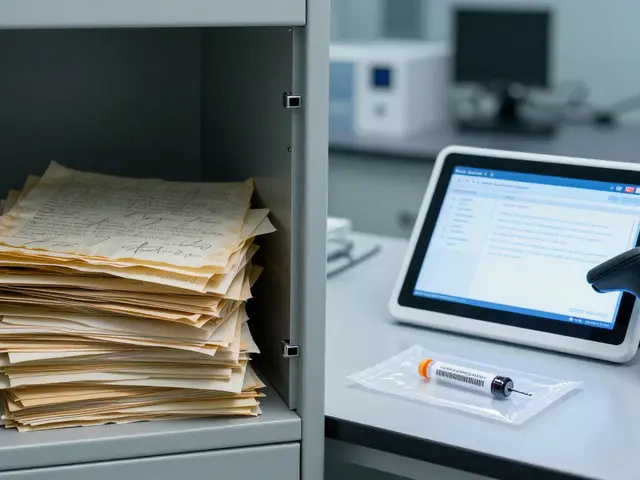
Imagine you spend three weeks analyzing a complex DNA profile. You log out, grab coffee, and when you return, the file is gone. Or worse, it’s there, but someone tweaked a parameter you didn’t touch. In digital forensics, this isn't just an annoyance; it's a case-killer. If you can't prove who touched your evidence and when, that evidence might as well not exist. This is where audit trails become your best defense against chaos.
An audit trail is essentially a chronological record of events within a system. It logs every action: who logged in, what files they opened, which settings they changed, and exactly when it happened. Think of it as the black box for your computer or server. Without it, you’re flying blind. With it, you have a verifiable history that supports the chain of custody. For investigators, lab technicians, and legal teams, these logs are non-negotiable. They transform subjective claims into objective facts.
Why Audit Trails Are Critical for Chain of Custody
The chain of custody documents the seizure, custody, control, transfer, analysis, and disposition of evidence. In the physical world, this means signing forms and sealing bags. In the digital world, it means logging every keystroke. If a defense attorney challenges your findings, "I swear I didn't change anything" doesn't cut it. The audit trail does.
Consider a scenario involving a forensic workstation. A technician opens a hard drive image at 9:00 AM. At 9:15 AM, they run a hash verification. At 10:30 AM, they export a report. Each of these actions generates a timestamped entry. If the hash changes unexpectedly between 9:15 and 10:30, the log shows exactly who was active during that window. Did another user log in remotely? Was a background process triggered? The answer lies in the logs.
This level of detail protects you from two main threats: accidental errors and malicious tampering. Accidental errors happen when a junior analyst clicks the wrong button. Malicious tampering occurs when someone tries to alter results to fit a narrative. Both leave footprints. By maintaining rigorous logs, you create a transparent environment where anomalies stand out immediately.
Key Components of an Effective Audit Trail
Not all logs are created equal. A simple list of login attempts won't save you in court. To be effective, your audit trail needs specific attributes. Here is what you need to capture:
- User Identity: Who performed the action? Use unique IDs, not shared accounts like "admin." Shared accounts break accountability.
- Timestamp: When did it happen? Use Coordinated Universal Time (UTC) to avoid confusion across time zones.
- Action Type: What happened? Read, write, delete, modify, execute?
- Resource Affected: Which file, database table, or configuration setting was touched?
- Source IP Address: Where did the request come from? This helps identify remote access versus local activity.
- Success/Failure Status: Did the action complete successfully, or was it denied due to permissions?
Missing any of these elements creates gaps. For instance, if you know a file was modified but don't know the source IP, you can't determine if the change came from inside the lab network or an external breach. Context matters as much as the event itself.
Detecting Unauthorized Access Patterns
Collecting logs is step one. Analyzing them is step two. Most unauthorized access doesn't look like a Hollywood hack. It looks like subtle anomalies. You need to establish a baseline of normal behavior first. What does a typical day look like for your analysts? Do they usually work between 8 AM and 6 PM? Do they typically access only their assigned cases?
Once you know the norm, deviations pop out. Look for these red flags:
- Off-Hours Activity: Logins at 3 AM on a Sunday might indicate automated scripts or curious employees working late without authorization.
- Failed Login Spikes: Multiple failed attempts followed by a success could suggest brute-force attacks or password guessing.
- Unusual Data Volume: Downloading 50GB of data when users typically download 5MB per session warrants investigation.
- Permission Escalation: Sudden requests for admin rights or changes to group memberships often precede data exfiltration.
Automated tools help here. Manual review of thousands of lines is prone to error. Implement alerts for high-risk events. For example, configure your system to email you whenever a hash value mismatch occurs. Don't wait until the end of the month to check logs. Real-time detection prevents small issues from becoming major breaches.

Preventing Tampering Through Technical Controls
Detection is reactive. Prevention is proactive. You can design your systems to make unauthorized access difficult or impossible. Start with the principle of least privilege. Give users only the access they need to do their jobs-nothing more. An analyst shouldn't have permission to delete raw evidence files. They should only have read access to images and write access to their working directories.
Use cryptographic hashing to ensure integrity. Calculate a hash (like SHA-256) for every piece of digital evidence upon acquisition. Store this hash securely, separate from the evidence itself. Every time the file is accessed, recalculate the hash. If it matches, the file hasn't changed. If it differs, something touched it. This technique links directly to the audit trail. The log records the attempt; the hash verifies the result.
Another strong preventive measure is write-once-read-many (WORM) storage. Once data is written to WORM media, it cannot be altered or deleted until a set retention period expires. This is ideal for archiving final reports and original evidence copies. Even if a hacker gains admin access, they can't overwrite the original data. They can only add new entries. This preserves the historical record perfectly.
Implementing Robust Logging Policies
Technology alone isn't enough. You need clear policies. Define what constitutes sensitive data. Specify how long logs must be retained. In many jurisdictions, legal requirements dictate retention periods, often ranging from seven to ten years for criminal cases. Check your local regulations and accreditation standards, such as those from ISO/IEC 17025.
Standardize your logging format. If different departments use different formats, correlating events becomes a nightmare. Adopt a standard like JSON for structured logging. It’s machine-readable and easy to parse. Ensure all devices-servers, workstations, mobile devices, and IoT sensors-feed into a central log management system. Siloed logs hide patterns. Centralized visibility reveals them.
Regularly test your audit trails. Conduct mock audits quarterly. Try to trace a specific case file from acquisition to report generation using only the logs. Can you reconstruct the entire timeline? If you hit dead ends, fix the logging configuration before a real crisis hits. Testing builds confidence and uncovers hidden gaps in your setup.

Common Pitfalls to Avoid
Many organizations fail because they treat logging as an afterthought. Here are common mistakes to sidestep:
- Ignoring Clock Synchronization: If servers have different times, correlating events across systems is impossible. Use Network Time Protocol (NTP) to sync all clocks to a trusted source.
- Overlooking Physical Security: Digital logs mean nothing if someone can physically unplug the server. Secure your hardware in locked rooms with access controls.
- Admin Blind Spots: Who watches the watchers? Ensure administrator activities are also logged. Often, admins can disable logging on their own accounts. Configure systems so that disabling logging triggers an immediate alert.
- Data Overload: Logging everything creates noise. Tune your verbosity levels. Capture critical security events in detail, but summarize routine operations.
| Approach | Cost | Complexity | Best For |
|---|---|---|---|
| Basic OS Logs | Low | Low | Small labs, basic compliance |
| SIEM Systems | High | High | Large agencies, real-time threat detection |
| Cloud-Based Logging | Medium | Medium | Distributed teams, scalable storage |
| Blockchain Ledger | Very High | Very High | High-stakes litigation, immutable proof |
Future Trends in Forensic Auditing
The landscape is shifting. Artificial intelligence is starting to play a role in log analysis. Instead of manually scanning for anomalies, AI models learn normal behavior patterns and flag deviations automatically. This reduces false positives and speeds up response times. Expect more integration between case management software and security monitoring tools. Seamless data flow will reduce manual entry errors.
Privacy concerns are also driving change. Regulations like GDPR and CCPA require strict handling of personal data. Audit trails themselves contain metadata about people, so they must be protected too. Encrypting logs at rest and in transit is becoming standard practice. As cyber threats evolve, so must our defenses. Staying ahead requires continuous improvement of both technology and policy.
What is the difference between an audit trail and a log file?
While often used interchangeably, they differ in scope. A log file is a raw collection of events recorded by a system. An audit trail is a curated, chronological sequence of events specifically designed to verify the integrity of a process or transaction. Audit trails imply a focus on accountability and chain of custody, whereas logs may simply record operational status.
How long should forensic audit trails be retained?
Retention periods vary by jurisdiction and case type. Generally, retain logs for the duration of the legal statute of limitations plus a buffer. For criminal cases, this often means 7-10 years. Always consult local laws and accreditation bodies like ISO/IEC 17025 for specific requirements relevant to your region.
Can audit trails be tampered with?
Yes, if not properly secured. Attackers with admin privileges might try to edit logs to cover their tracks. To prevent this, store logs on write-once-read-many (WORM) media or send them in real-time to a separate, secure server that the attacker cannot easily access. Hashing log entries also helps detect alterations.
Do cloud services provide sufficient audit trails?
Major cloud providers offer robust logging capabilities, but configuration is key. Default settings often miss granular details. You must explicitly enable detailed logging features and ensure logs are exported to a location you control. Relying solely on provider-managed views may limit your ability to perform independent forensic analysis.
Is blockchain necessary for forensic audit trails?
Not necessarily. Blockchain offers immutability, which is excellent for high-stakes cases, but it adds complexity and cost. For most laboratories, traditional centralized logging with proper access controls and regular backups provides sufficient integrity. Consider blockchain only if you face frequent disputes over log authenticity or operate in highly litigious environments.