Imagine a cybercriminal wipes their tracks after a breach. They delete the obvious files, but they forget one thing: the server log is a silent witness that never lies. In digital forensics, these text files are often the difference between solving a case and closing it with no leads. Log file examination isn't just about reading lines of code; it's about reconstructing a timeline from raw data points that survived the chaos of an incident.
Whether you are investigating a ransomware attack, tracking insider threats, or verifying compliance, understanding how to extract truth from system logs is critical. These records capture every login, every file access, and every process execution. But raw logs are messy. They are fragmented across multiple servers, formatted differently, and often span years of activity. The challenge isn't finding the data; it's making sense of it without losing context or chain of custody.
Why Logs Matter More Than You Think
Many investigators focus on malware samples or deleted emails first. That’s a common mistake. Malware can be modified, and emails can be sent from personal accounts. Logs, however, are generated by the operating system and applications themselves. They are automated, timestamped, and rarely tampered with unless the attacker has root-level access to the logging service itself.
System logs provide three key pieces of evidence:
- Timeline Reconstruction: Establishing exactly when an event occurred down to the millisecond.
- User Attribution: Linking actions to specific user IDs or IP addresses.
- Process Tracking: Identifying which programs were running during the incident window.
For example, if a database was exfiltrated at 2:00 AM, the application log might show a massive query load, while the network log shows outbound traffic to an unknown IP. Correlating these two sources confirms the breach happened locally before leaving the network.
Types of Logs You Need to Know
Not all logs are created equal. Each type serves a different purpose and contains unique attributes. Knowing where to look saves hours of searching.
| Log Type | Source | Key Data Points | Common Use Case |
|---|---|---|---|
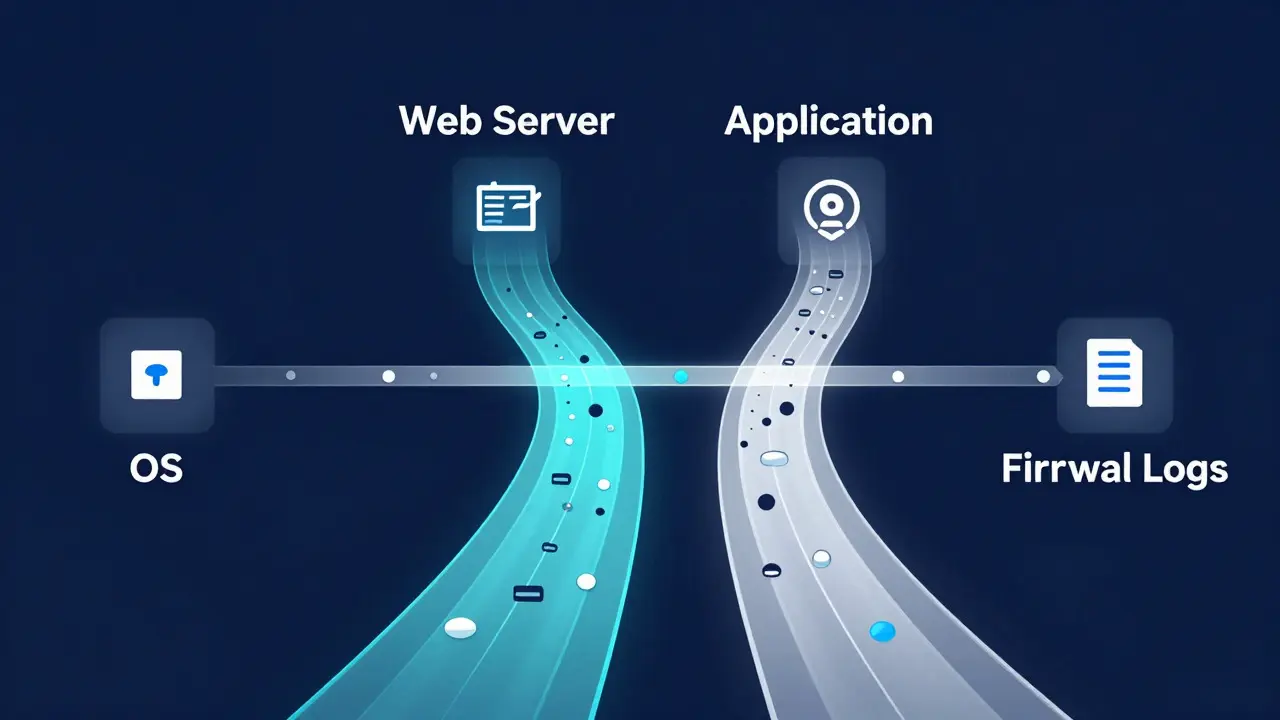
| OS Event Logs | Windows/Linux Kernel | Login events, service starts, errors | Verifying physical access or admin changes |
| Web Server Logs | Apache/Nginx/IIS | IP address, URL requested, HTTP status | Tracking web app attacks or bot activity |
| Application Logs | Custom Software | User actions, transaction IDs | Insider threat detection |
| Firewall Logs | Network Security | Source/Dest IP, Port, Allow/Deny | Mapping external entry points |
Notice how Web Server Logs differ from OS logs. Web logs tell you what happened over HTTP, but not necessarily who ran the script behind it. You need both to build a complete picture. If a web log shows a POST request to /admin/login, the OS log will confirm if a new process started for that session.
The Step-by-Step Examination Process
Jumping straight into grep commands is risky. You need a structured approach to ensure your findings hold up in court or internal review. Here is a practical workflow used by forensic analysts:
- Define the Scope: Identify the time frame and affected systems. Don’t analyze five years of logs if the incident happened last Tuesday. Narrow the window to reduce noise.
- Preserve Evidence: Copy logs to a write-protected medium. Never analyze logs directly on the live server if possible, as processes may still be writing to them. Hash the original files (MD5 or SHA-256) to prove integrity later.
- Normalize Timestamps: This is the most critical step. Servers often run on UTC, while local machines use PST or EST. Convert all timestamps to a single reference point (usually UTC) immediately. Misaligned times can make an innocent action look suspicious.
- Parsing and Filtering: Use tools like Splunk, ELK Stack, or even simple Python scripts to parse unstructured logs into structured data. Filter out routine noise like heartbeat pings or successful health checks.
- Correlation Analysis: Cross-reference events across different log types. Did the firewall block an IP at 10:00 AM, and did the web server see a failed login attempt from that same IP at 10:01 AM? That correlation is gold.
- Documentation: Record every filter applied, every tool used, and every assumption made. Your notes are part of the evidence.
Skipping the normalization step is the number one cause of false positives. I’ve seen cases where a "break-in" was actually just a scheduled backup job running at a different time zone. Always double-check your clock settings.
Common Pitfalls and How to Avoid Them
Even experienced analysts trip up on log examination. Here are the traps to watch out for:
- Log Rotation Deletion: Many servers automatically delete old logs to save space. If you don’t know the retention policy, you might miss crucial pre-incident data. Check the cron jobs or systemd timers for log cleanup tasks.
- Time Zone Confusion: As mentioned, this is huge. But also watch for Daylight Saving Time changes. If your incident spans a DST switch, some systems might shift their clocks back an hour, creating duplicate timestamps.
- Assuming Integrity: Just because a log exists doesn’t mean it wasn’t edited. Look for gaps in sequence numbers or missing entries. A sudden jump from event ID 100 to 150 suggests someone deleted rows.
- Overlooking Third-Party Services: If your company uses AWS or Azure, the logs aren’t on your local server. They’re in cloud console exports. Forgetting these can leave holes in your timeline.
To mitigate these risks, always verify the completeness of the log set. Compare the start and end times against known system uptime periods. If there’s a gap, document why it happened (e.g., server reboot) so it doesn’t look like evidence destruction.
Tools That Make Life Easier
You don’t have to do everything manually. While command-line tools are powerful, specialized software speeds up the process significantly.
Wireshark is essential for network packet analysis, allowing you to see the actual data flow behind firewall logs. For server-side analysis, ELK Stack (Elasticsearch, Logstash, Kibana) allows you to ingest millions of log lines and visualize patterns instantly. It’s free, open-source, and scales well.
If you’re working with Windows environments, Microsoft Sysinternals Suite provides utilities like Procmon and Autoruns that help correlate log events with active processes. For Linux, the Audit Daemon (auditd) offers granular tracking of file accesses and system calls, which is invaluable for insider threat investigations.
Choose tools based on your environment. If you’re mostly in a Linux cloud setup, ELK is your best friend. If you’re dealing with legacy Windows servers, stick with native event viewer tools and PowerShell scripts for precision.
Best Practices for Long-Term Success
Log examination shouldn’t be a fire drill. Proactive measures make investigations smoother.
- Centralize Logging: Send all logs to a centralized SIEM (Security Information and Event Management) system. This prevents attackers from deleting local logs to cover their tracks.
- Standardize Formats: Use structured formats like JSON or CSV instead of plain text. Structured data is easier to parse and less prone to human error during extraction.
- Automate Alerts: Set up triggers for unusual activity, such as more than five failed logins in ten minutes. This helps you catch incidents early, while the logs are fresh and relevant.
- Regular Audits: Periodically check your log collection pipeline. Ensure that no new servers are being added without logging enabled. Gaps in coverage are gaps in evidence.
By treating logs as a primary asset rather than an afterthought, you transform log file examination from a tedious chore into a strategic advantage. The data is already there; you just need the right skills to unlock it.
Frequently Asked Questions
How long should we keep server logs for forensic purposes?
There is no universal rule, but most industries recommend keeping detailed logs for at least 90 days online and archiving them for 1-7 years depending on regulatory requirements. For high-security environments, real-time centralization ensures logs are preserved indefinitely regardless of local disk space issues.
What is the biggest mistake beginners make in log analysis?
Ignoring time zones. Beginners often assume all servers use the same time setting. This leads to incorrect timelines where events appear to happen out of order or simultaneously. Always convert all timestamps to UTC before correlating data from different sources.
Can attackers easily hide their tracks in logs?
It is difficult but possible if they have root access. However, hiding tracks requires effort. Most attackers focus on escaping quickly rather than scrubbing logs. Centralized logging makes it much harder for attackers to delete evidence because the copies exist on remote servers they likely haven't compromised yet.
Which log file is most important for identifying a hacker's IP address?
The firewall or router logs are usually the best starting point for external IPs. Web server logs also contain client IPs, but these can be spoofed. Firewall logs record the source IP at the network boundary, making them more reliable for initial identification, though NAT (Network Address Translation) can complicate things if the attacker is behind a proxy.
Do I need expensive software to examine logs?
No. Basic investigations can be done with free tools like Grep, Awk, and Sed on Linux, or PowerShell on Windows. Open-source platforms like ELK Stack offer enterprise-grade features for free. Paid tools like Splunk add convenience and pre-built dashboards, but they are not strictly necessary for competent forensic analysis.